☀️
Message on WhatsApp

Claude Code
For

Your system feels disorganized. You have hundreds of notes but can't find what matters. Every AI conversation starts from zero. Sound familiar?

Enter
What is Claude CodeClaude?

ChatGPT doesn't know what you decided last week. It doesn't know your projects or your preferences. Every conversation starts from zero.

Claude Code reads files on your computer. Connect it to Obsidian and it knows what you're working on — your meeting notes, your goals, your decisions.

How Claude Code applies
Connecting…
6 weeks of hands-on practice building AI workflows that actually use your notes. Connect Claude Code to your Obsidian vault Works with your existing notes — Notion, Roam, Apple Notes — migrate or keep what you have Build reusable Skills — instructions that turn notes into actions Tell Claude "work on X project" — it loads your last session, decisions, and next steps Record a meeting → sync to vault → Claude extracts tasks and assigns them Query 100 notes in seconds instead of reading each one Stop re-explaining — Claude remembers your preferences, your projects, your way of working Lab wiki with 120+ reference pages, exercises, and templates Masterminds: present your vault, get real feedback from the group Context that compounds instead of disappearing Your notes stop being passive. They start DOING things.

Who is this for

Knowledge workers who use Obsidian and want to do more with AI than chat. People frustrated by "every conversation starts from zero."

You don't need to be a programmer. If you can use Obsidian and Excel, you can build this.

  • "My system is hanging by a thread." You've tried Notion, Roam, Apple Notes. Every migration promises this time will be different. You have structure but it doesn't help you think.
  • "I have thousands of notes and forget what's in them." Your vault grows but your clarity doesn't. You know the answer is somewhere in your files but finding it takes longer than just doing the work again.
  • "Every AI conversation starts from zero." You use ChatGPT or Claude but re-explain your context every time. You want AI that actually knows your projects, your decisions, your history.
  • "I want to capture thoughts and have them organized." Voice notes, meeting recordings, random ideas — you capture everything but nothing connects to your actual work.

This lab is for people who value a practical, evidence-based approach. We follow best practices from Anthropic's documentation, research on working with LLMs and agents, and techniques that have proven effective in real use. No hype — just what actually works.

Your project

Cohort 1 participants built: a 500-meeting archive queried by person and topic. A 1,200-idea blog pipeline from capture to publish. Local voice transcription straight into Obsidian. Dynamic dashboards that replaced 6 stale manual lists.

You'll build AI workflows for YOUR life. Not abstract demos. Your calendar, your goals, your meetings, your vault.

How it works

Workshops (Tuesdays)
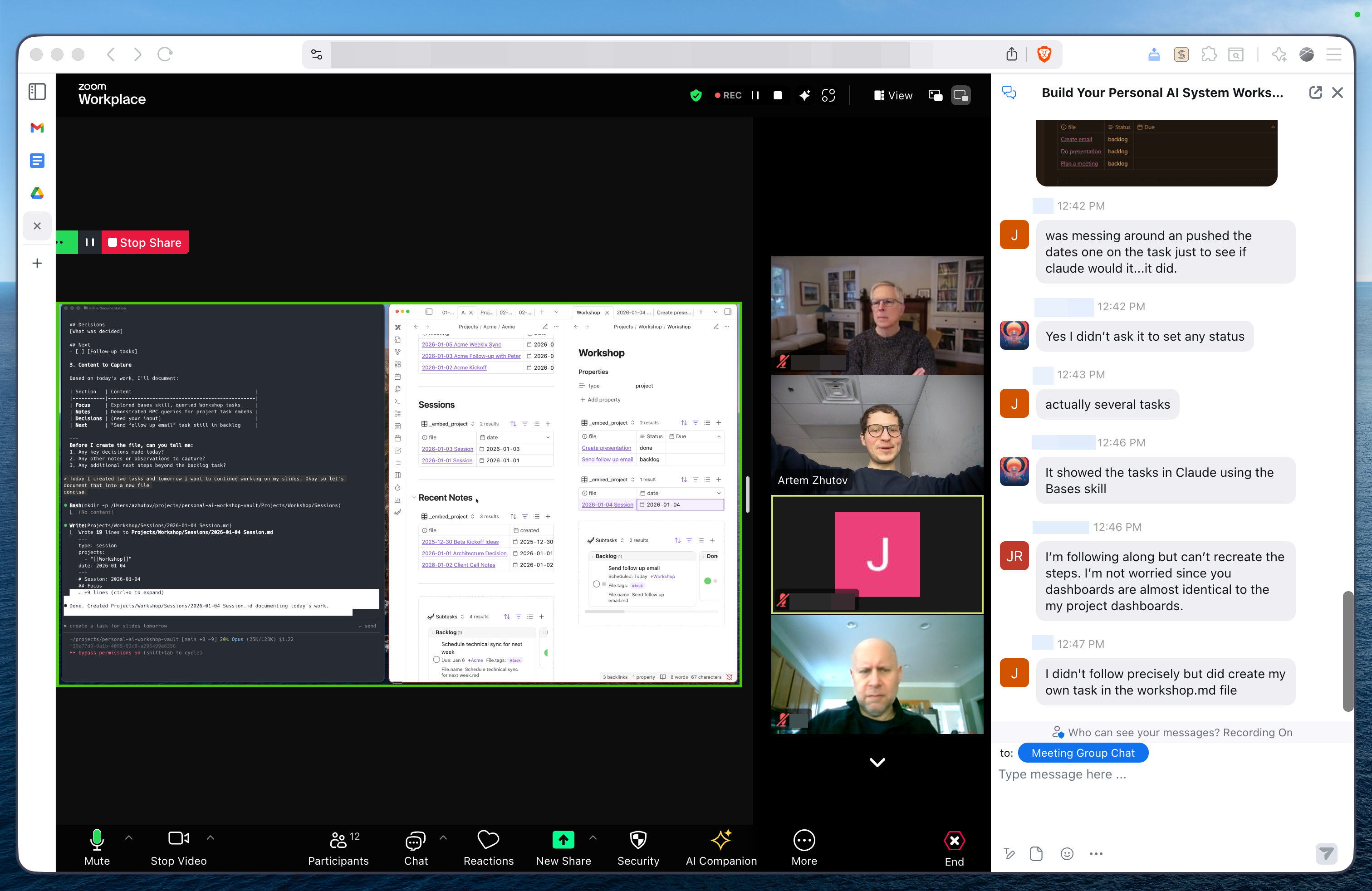
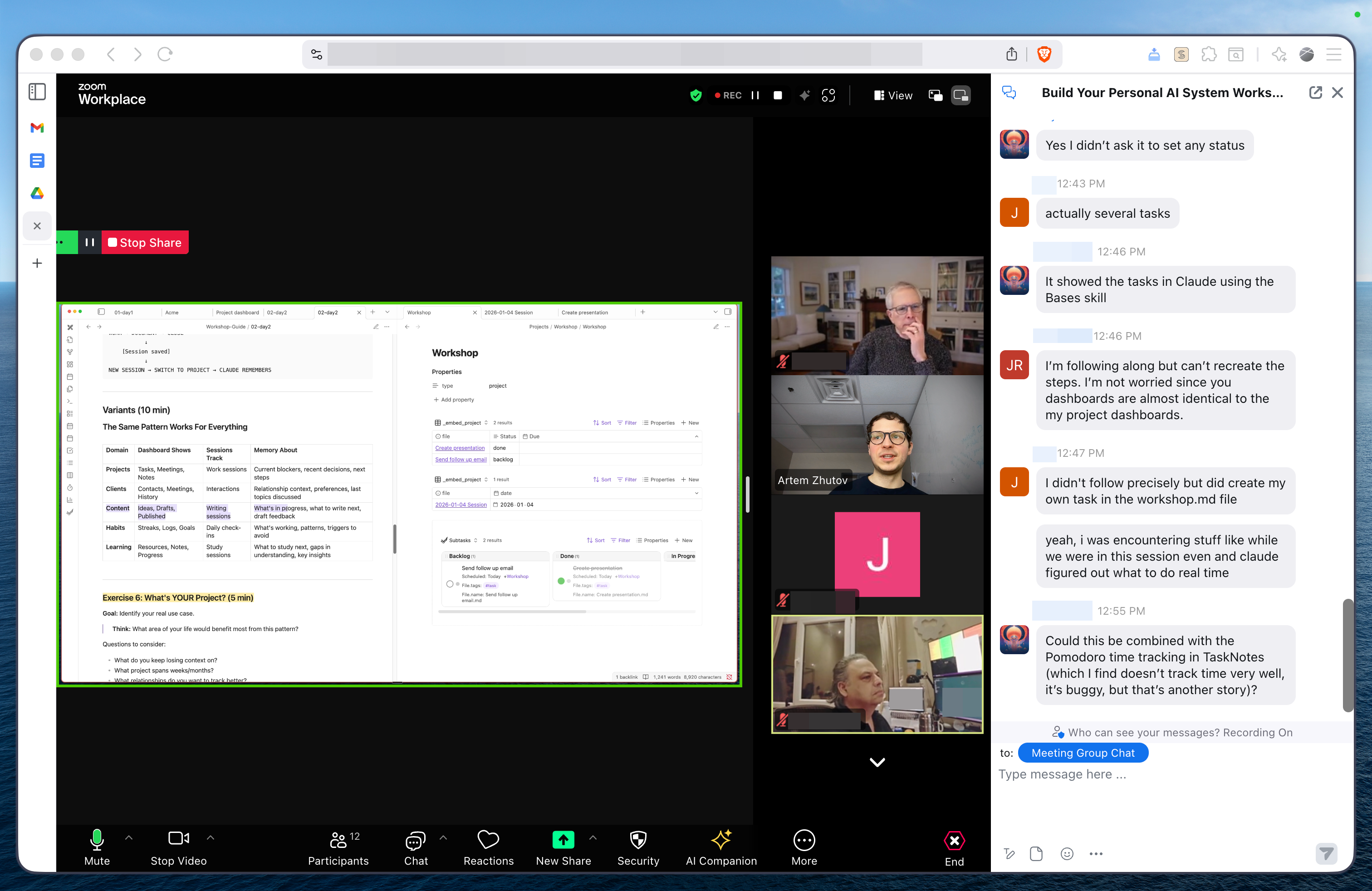
Artem presents concepts with live demos on his real 2,000-note vault. You follow along building your own system. Not slides — screen sharing, real problems, real solutions in real time.

Masterminds (Saturdays)
You present your progress. Share your screen, show what you built, get feedback from the group and from Artem. Real problem-solving on YOUR vault, not homework review.

Between sessions
Pre-recorded technical deep-dives you can rewatch at your pace. Lab wiki with 120+ pages of lessons, exercises, references, and templates. Discord community with same-day answers.

Artem Zhutov, PhD

I exported 2,000 notes from Notion and spent months making them useful with Claude Code.

Now I say "continue where I left off" and Claude loads my last session, shows pending tasks, and knows what I was working on. I record a meeting and tasks appear in my system, assigned to the right people.

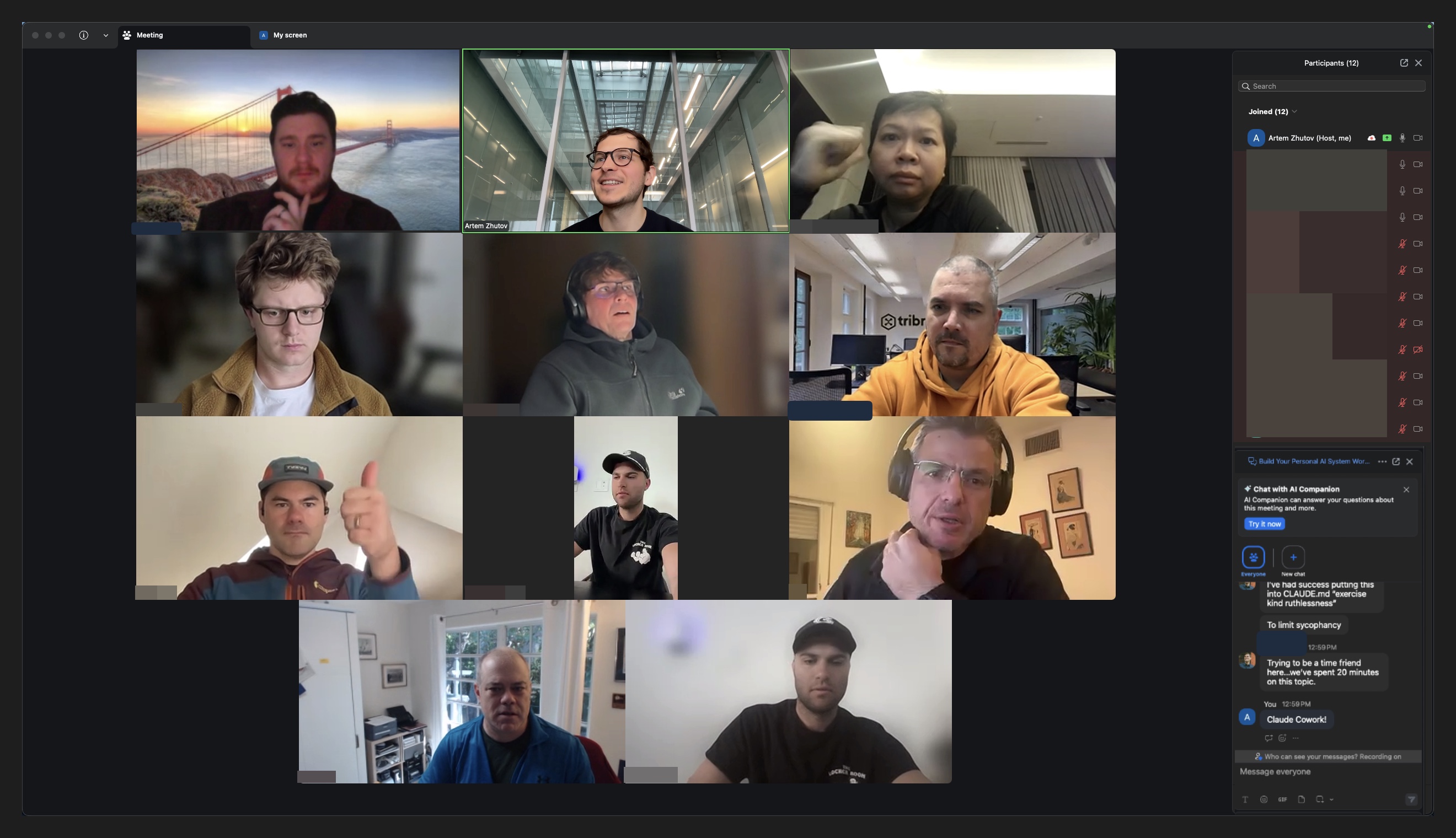
Cohort 1: participants from Canada, Abu Dhabi, Germany, France, Bali. During sessions I show my actual vault — 2,000+ notes, real projects, messy drafts. Every session, someone asks "can you build that for my [X]?" and we build it live.

Artem Zhutov, PhD

Links: YouTube, Substack, X, GitHub

Location: Waterloo, Canada 🇨🇦

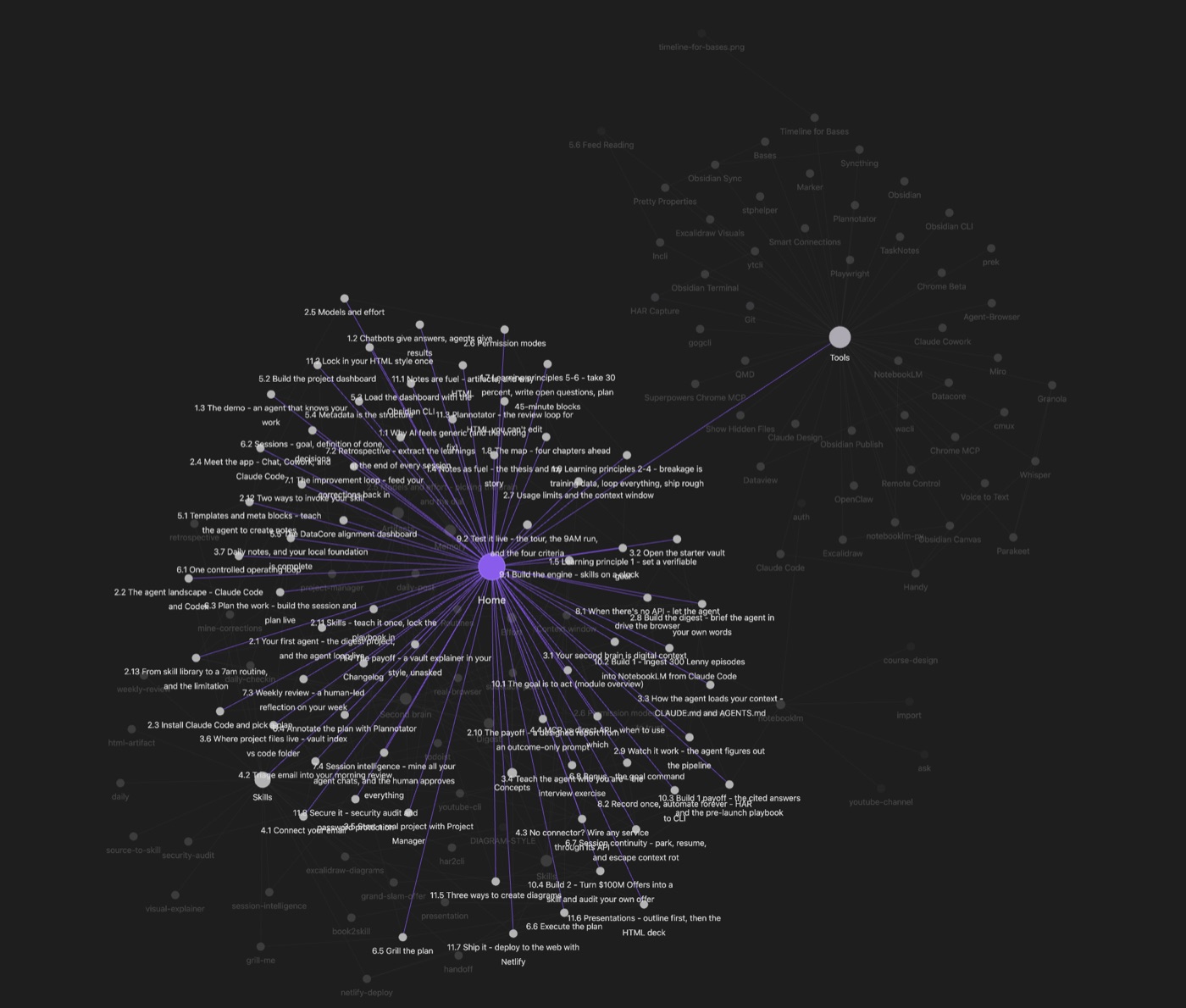
Obsidian vault graph - 2000+ connected notes

2,000+ notes in Obsidian, connected

What you'll be able to do

  • "Continue where I left off" → Claude loads your last session, pending tasks, decisions
  • "Prepare for meeting with Sarah" → pulls your history, notes, context
  • Query hundreds of notes in seconds instead of reading each one
  • Record a meeting → tasks extracted and assigned automatically
  • Build once, reuse forever — your workflows become commands
  • Stop re-explaining your life to AI every conversation
  • Notes become answers, not archives
  • Your context compounds instead of resetting

The key insight

Tools change every 6 months. Your context stays. The skill isn't "using Claude Code" — it's Personal Context Engineering: knowing how to give AI access to YOUR world so it can actually help.

Notes + Skills = AI that actually helps.

That's the formula. Skills are instructions that connect your notes to actions. Build once, use forever.

Design systems by observing YOUR behavior, not by copying best practices. Analyze your own patterns. Turn patterns into commands. Turn commands into workflows.

/tools what we use

Obsidian

Your vault is the foundation. Local-first, markdown-based, extensible. The perfect home for your context.

Claude Code

The AI agent that reads and writes files. Works in terminal, connects to your vault, executes code.

CLAUDE.md

Your AI's memory file. Teach it your preferences, your context, your workflows. Persistent across sessions.

Claude Skills

Reusable instructions that give your Obsidian vault superpowers. "Prepare meeting" becomes one command.

Obsidian CLI

Programmatic vault access from the terminal. Query bases, read/write frontmatter, evaluate JavaScript. No MCP needed.

Cursor

AI-native code editor. We'll cover how it complements Claude Code for different workflows.

Terminal

Claude Code runs in terminal. We'll cover the basics — it's simpler than you think.

…and more

Tools evolve constantly. The patterns you learn transfer to whatever comes next.

Tools change. Your context stays.

We're not just learning tools — they'll be obsolete in months. The real skill is Personal Context Engineering: knowing how to structure your knowledge so AI can actually use it.

Your goals, your relationships, your history — that context is yours forever. Learn to give AI access to it, and you'll be ahead no matter what tool is popular next year.

/schedule

when we meet

Session structure

Starting March 17, 2026
online
Zoom meetings, async support in Discord

6 weeks — enough time to build your AI workflow system from scratch, develop hands-on practice with agents, understand what they can (and can't) do, and automate your daily workflows.

Each week: case studies, hands-on practice, Q&A, and building your own system.

Tuesdays 12:00 EST / 18:00 CET. Main session: theory + live demos. Learn concepts and see them applied.

Saturdays 12:00 EST / 18:00 CET. 2-hour live coding sessions. Build together, solve real problems.

/program

AI workflows for Obsidian

Week 1

Tue Mar 17 / Sat Mar 21

Claude Code Fundamentals

  • Install Claude Code, connect to your vault
  • How agents work (context window, memory, tools)
  • Build your CLAUDE.md from scratch
  • Design your capture system (voice, meetings, ideas)

Week 2

Tue Mar 24 / Sat Mar 28

Claude Code + Obsidian Integration

  • 8 ways Claude Code connects to Obsidian
  • Search, synthesize, organize, query your vault
  • Subagents for parallel research
  • Obsidian CLI, Bases, Dataview, TaskNotes

Week 3

Tue Mar 31 / Sat Apr 04

Your Vault as a Database

  • Give your notes structure Claude can search instantly
  • Frontmatter, entity types, templates with schemas
  • Bases and Dataview: ask questions, get answers from 1,000 notes
  • Build dashboards that stay current without manual updates

Week 4

Tue Apr 07 / Sat Apr 11

Never Start From Zero

  • Pick up any project exactly where you left off
  • Session handoffs: Claude loads your last decisions, pending tasks, next steps
  • Dashboards that show what needs attention across all projects
  • Context that compounds — every session makes the next one smarter

Week 5

Tue Apr 14 / Sat Apr 18

Your AI, Everywhere

  • MCP servers: pull data from Notion, Linear, Gmail, your tools
  • OpenClaw: Claude on your phone via Telegram
  • Voice memo on a walk → transcribed, tasks extracted, filed in vault
  • Daily routines: morning priorities, evening review, weekly patterns

Week 6

Tue Apr 21 / Sat Apr 25

Launch & Showcase

  • Tuesday: Live Q&A & hands-on practice
  • Saturday: Project presentations
  • Celebrate what you built
  • Graduate with a working system

/pricing

invest in your system
Early bird pricing ends in

Standard

Build your system with the cohort

$890 $790 Early bird
  • 6 workshops + 6 build sessions (12 total)
  • Pre-flight materials before each week
  • All recordings — watch anytime
  • Skills, templates, prompts — .md files in YOUR vault
  • Discord community + async Q&A
  • Demo Day — present what you built

For self-starters who learn by doing.

Teams

Level up your team together

  • 3+ seats — full access for each
  • Team strategy session + workflow audit
  • How to integrate AI workflows across your team
  • Private team channel + priority support
  • Implementation roadmap + 2-week post-lab support

Custom pricing based on team size.

Contact to Learn More

I review every application personally. Full refund within first week — just email me. Questions? Message me on WhatsApp.

Frequently Asked Questions

Do I need programming skills?

+

No. If you can use Obsidian and Excel, you can build this. We'll cover terminal basics and most tasks are about writing clear instructions (Skills), not traditional code. Claude Code handles the technical parts.

What subscriptions do I need?

+

You'll need Obsidian (free) and Claude Pro subscription ($20/month). Claude Code is included with Claude Pro. No other paid tools required.

Why Obsidian? Can I use Notion?

+

Obsidian stores notes as plain text on YOUR computer. Claude Code reads them directly. You see exactly what it sees. Full control.

Notion lives in their cloud — you'd need complex APIs. ChatGPT memory is a black box — you don't know what it remembers or forgets.

Plus: Your data is yours. Back it up however you want. What you learn transfers to any agent — Codex, Amp, whatever comes next. You're learning to structure YOUR knowledge for AI, not just one tool.

My vault is a mess. Will this work?

+

That's the starting point for most people. Week 1-2 focuses on giving Claude enough structure to understand your vault WITHOUT reorganizing everything.

You don't need perfect folders. You need frontmatter Claude can read and a CLAUDE.md that explains your structure. We start where you are.

How do sessions work?

+

Live online sessions with screen sharing — Tuesdays and Saturdays. Each session includes demonstration + hands-on practice time. All sessions are recorded for those who can't attend live.

How much time commitment?

+

Plan for 3-5 hours per week: ~2 hours for live sessions + 1-3 hours for practice. You set your own pace for hands-on work.

Can I get individual guidance?

+

Yes — the Individual tier includes 1-on-1 sessions to work on your specific projects and workflows. Standard tier has community Q&A support.

What exactly will I build?

+

Week by week, you'll build a complete AI workflow system:

  • Week 1: Claude Code fundamentals — setup, CLAUDE.md, capture system
  • Week 2: Obsidian integration — 8 connection patterns, CLI, Bases, Dataview
  • Week 3: Vault as a database — frontmatter, schemas, dashboards that update themselves
  • Week 4: Never start from zero — session handoffs, context that compounds
  • Week 5: Your AI everywhere — MCP servers, Telegram bot, voice capture, daily routines
  • Week 6: Present what you built, get feedback, graduate

Not tutorials — actual tools you'll use tomorrow. Each week builds on the last.

Do I keep access to materials?

+

Yes, lifetime access. Session recordings, all templates and skills as .md files (plain text you own forever), and Discord community. No platform lock-in — everything lives in your vault.

What's the refund policy?

+

Full refund within the first week, no questions asked. Just email me at artem.zhutov.perfected618@simplelogin.com or message on WhatsApp, and I'll process your refund within 5-7 business days via Stripe.

Can my company pay?

+

Yes, I can provide an invoice for company payment. Message me on WhatsApp with your company details.